






Download the HITRAN database
Database will be downloaded automatically and can be edited locally.
By default the database is returned as a Pandas DataFrame. To explore huge databases (like CO2, CH4 or H2O) that do not fit in RAM, RADIS allows you to use a Vaex DataFrame instead (out-of-RAM), see the Explore Database with Vaex example
from radis.io.hitran import fetch_hitran

df = fetch_hitran("OH")
print(df.columns)
--------------------------------------------------------------------------------
OH - HITRAN - Downloading database
--------------------------------------------------------------------------------

Download:
- Downloading all isotopes for OH

Downloading isotopes:   0%|          | 0/9 [00:00<?, ?it/s]
Downloading isotopes:  11%|█         | 1/9 [00:01<00:12,  1.62s/it]
Downloading isotopes:  22%|██▏       | 2/9 [00:01<00:05,  1.22it/s]
Downloading isotopes:  33%|███▎      | 3/9 [00:02<00:03,  1.72it/s]
Downloading isotopes: 100%|██████████| 9/9 [00:02<00:00,  4.13it/s]

HITRAN database download complete
Added HITRAN-OH database in /home/docs/radis.json
Index(['id', 'iso', 'wav', 'int', 'A', 'airbrd', 'selbrd', 'El', 'Tdpair',
       'Pshft', 'globu', 'globl', 'locu', 'locl', 'line_mixing_flag', 'gp',
       'gpp'],
      dtype='str')
Returns:
Index(['id', 'iso', 'wav', 'int', 'A', 'airbrd', 'selbrd', 'El', 'Tdpair',
       'Pshft', 'globu', 'globl', 'locu', 'locl', 'ierr', 'iref', 'lmix', 'gp',
       'gpp'],
      dtype='object')
Columns are described in columns_2004
A specific can be retrieved with the same fetch_hitemp()
function. The already downloaded database will be used:
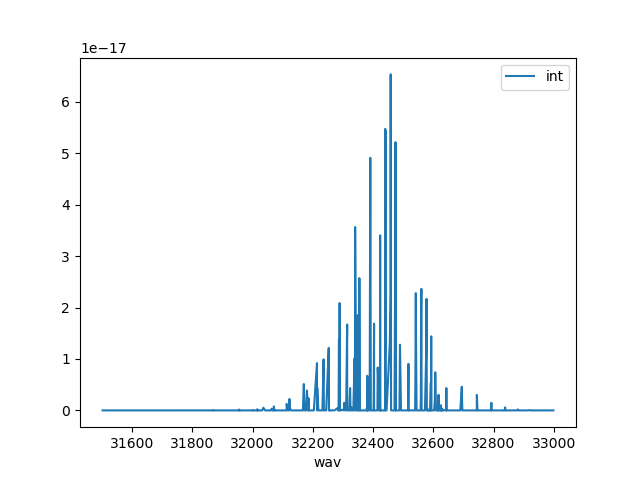
df = fetch_hitran("OH", load_wavenum_min=31500, load_wavenum_max=33000, isotope="1")
df.plot("wav", "int")
--------------------------------------------------------------------------------
OH - HITRAN - Downloading database
--------------------------------------------------------------------------------

Download:
- All files already downloaded.

Caching to HDF5/H5 format:
- All files already cached.

<Axes: xlabel='wav'>
Total running time of the script: (0 minutes 2.643 seconds)